How to implement SSE with .NET
Server-Sent Events is a technology built on top of HTTP that allows an application to continuously send data to a client. It is designed for applications that need to keep users updated with real-time information.
In a regular HTTP request, the client sends a request, receives a response from the server, and closes the connection. With Server-Sent Events, the server can keep the connection open and continue sending information in a one-way flow. The server sends data to the client, but the client does not send data back through that same stream. This approach is useful for real-time notifications, statistics, and similar use cases.
In this article, I will show a short example using .NET and a plain JavaScript HTML page.
We will create a simple page that connects to an API, receives data for a soccer match, and updates the score every five seconds with randomly generated results.
Creating the endpoint
Code:
app.MapGet("/matches/sse", async (HttpContext context) =>
{
    context.Response.Headers.Append("Content-Type", "text/event-stream");
    context.Response.Headers.Append("Cache-Control", "no-cache");
    context.Response.Headers.Append("Connection", "keep-alive");

    var teams = new[]
    {
        new { Name = "Real Madrid", Logo = "https://placehold.co/100x100?text=RMA" },
        new { Name = "Manchester City", Logo = "https://placehold.co/100x100?text=MCY" }
    };
    var random = new Random();
    var homeTeam = teams[random.Next(teams.Length)];
    var awayTeam = teams[random.Next(teams.Length)];

    while (awayTeam == homeTeam)
    {
        awayTeam = teams[random.Next(teams.Length)];
    }

    int homeScore = 0;
    int awayScore = 0;

    while (!context.RequestAborted.IsCancellationRequested)
    {
        if (random.Next(10) > 7) homeScore++;
        if (random.Next(10) > 7) awayScore++;

        var update = new
        {
            HomeTeam = homeTeam.Name,
            HomeLogo = homeTeam.Logo,
            HomeScore = homeScore,
            AwayTeam = awayTeam.Name,
            AwayLogo = awayTeam.Logo,
            AwayScore = awayScore,
            Timestamp = DateTime.Now.ToString("HH:mm:ss")
        };

        var json = JsonSerializer.Serialize(update);
        await context.Response.WriteAsync($"data: {json}\n\n");
        await context.Response.Body.FlushAsync();

        await Task.Delay(5000);
    }
});
The first three lines configure the response headers required by SSE:
"Content-Type: text/event-stream": tells the client that the response follows the SSE format.
"Cache-Control: no-cache": prevents the client from caching the stream.
"Connection: keep-alive": keeps the connection open.
Next, the example randomly generates the match result.
The result is created and returned inside the while loop until context.RequestAborted.IsCancellationRequested becomes true. This property indicates that the user has disconnected and the application should stop sending responses.
The calls to context.Response.WriteAsync and context.Response.Body.FlushAsync send each update to the client.
JavaScript implementation
<script>
    const eventSource = new EventSource('/matches/sse');

    eventSource.onmessage = function(event) {
        const data = JSON.parse(event.data);

        document.getElementById('home-name').textContent = data.HomeTeam;
        document.getElementById('home-logo').src = data.HomeLogo;
        document.getElementById('home-score').textContent = data.HomeScore;

        document.getElementById('away-name').textContent = data.AwayTeam;
        document.getElementById('away-logo').src = data.AwayLogo;
        document.getElementById('away-score').textContent = data.AwayScore;

        document.getElementById('timestamp').textContent = data.Timestamp;
    };

    eventSource.onerror = function(err) {
        console.error("EventSource failed:", err);
        // eventSource.close();
    };
</script>
On the frontend, we use the EventSource class to consume SSE.
The API endpoint URL is passed to the class constructor.
We then assign a function to onmessage to handle every response from the API and display it on the page.
Finally, we assign a function to onerror to handle errors.
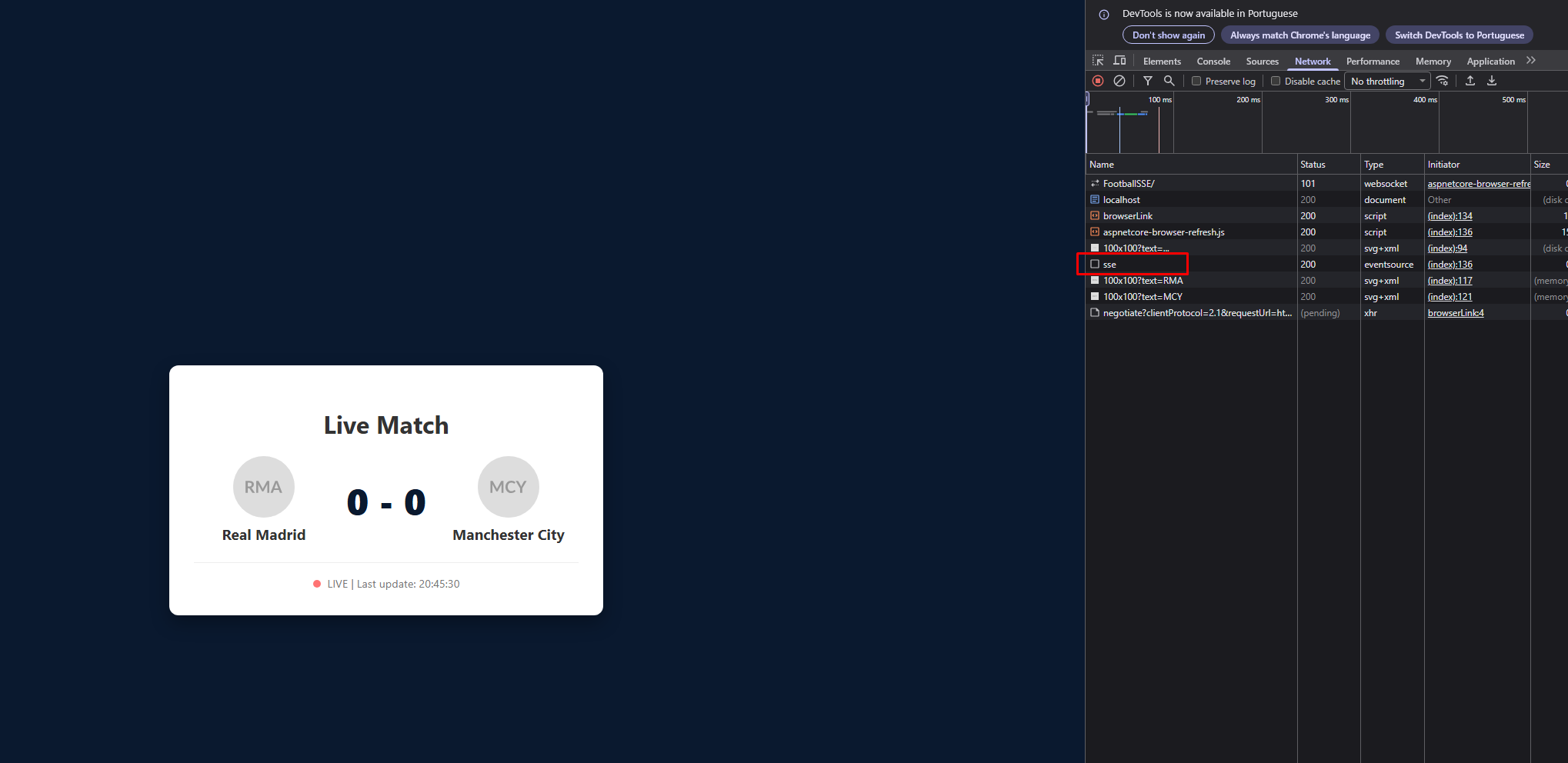
Once both applications are running, the frontend sends a request to the API:
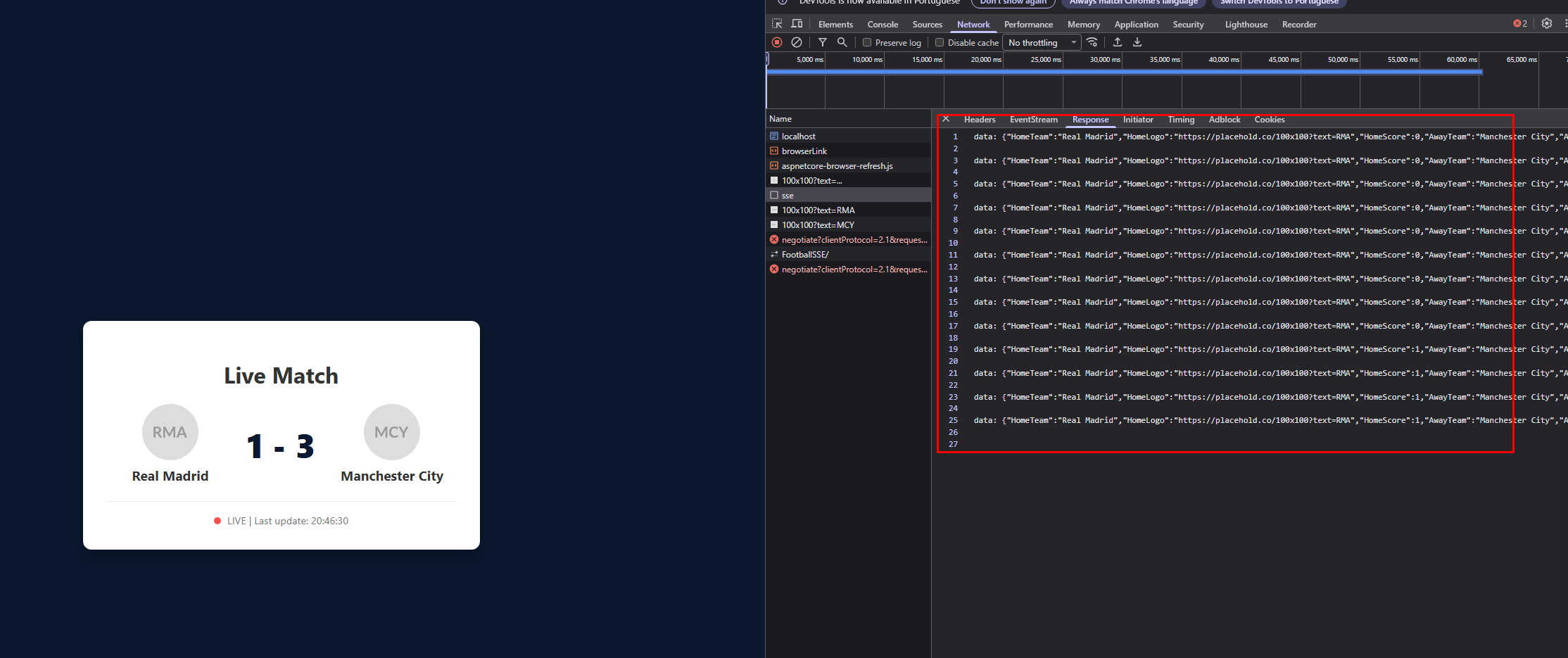
The server then returns an updated match score every five seconds:
Final thoughts
SSE is an excellent option when an application needs frequent real-time updates. It avoids repeatedly making an HTTP request every few seconds, and it can be much simpler than implementing WebSockets. Because SSE works over HTTP, it is straightforward to introduce into many applications.